Two paths in. One for individual learners and families, one for school music departments.
All six modules, every mode unlocked. Free forever.
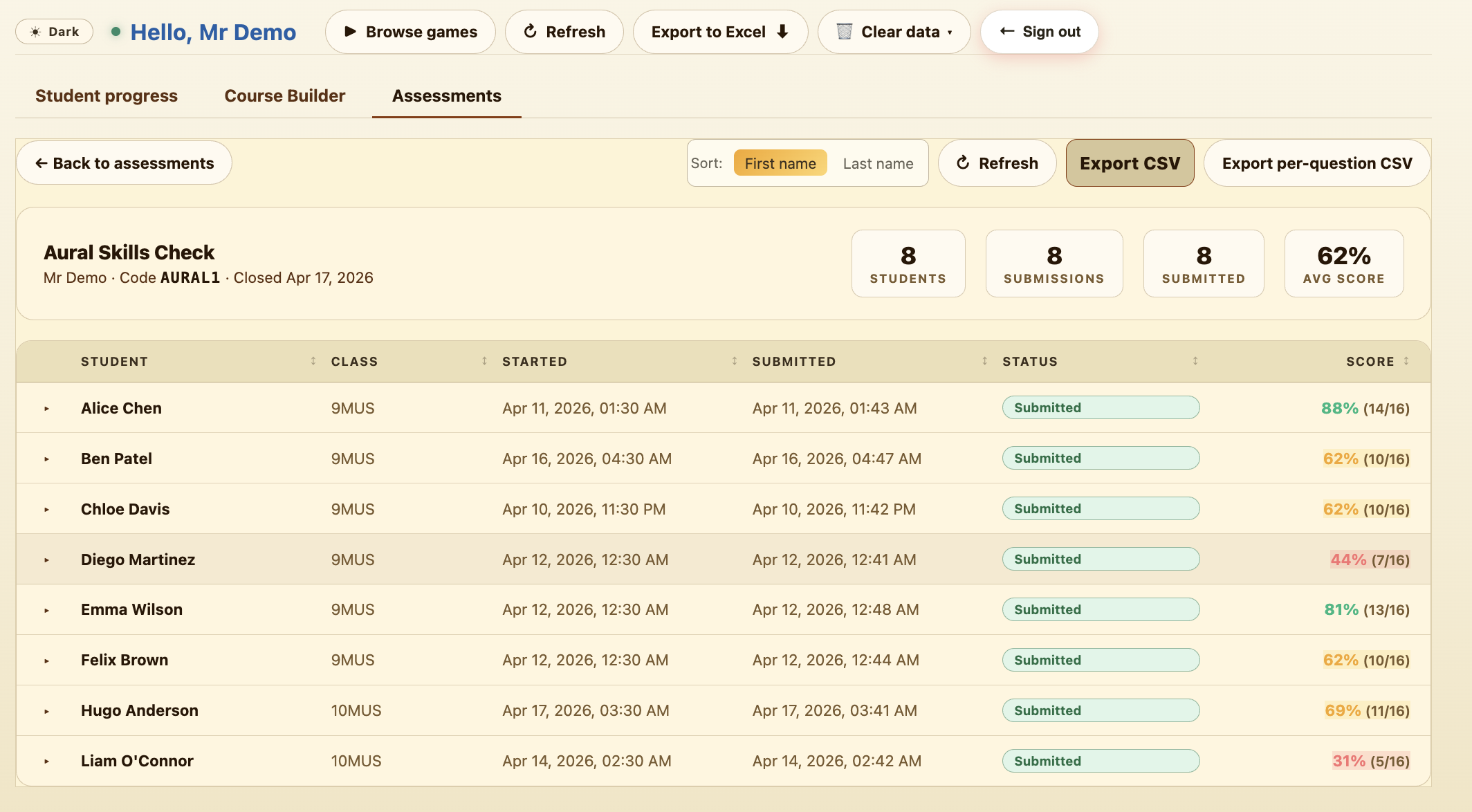
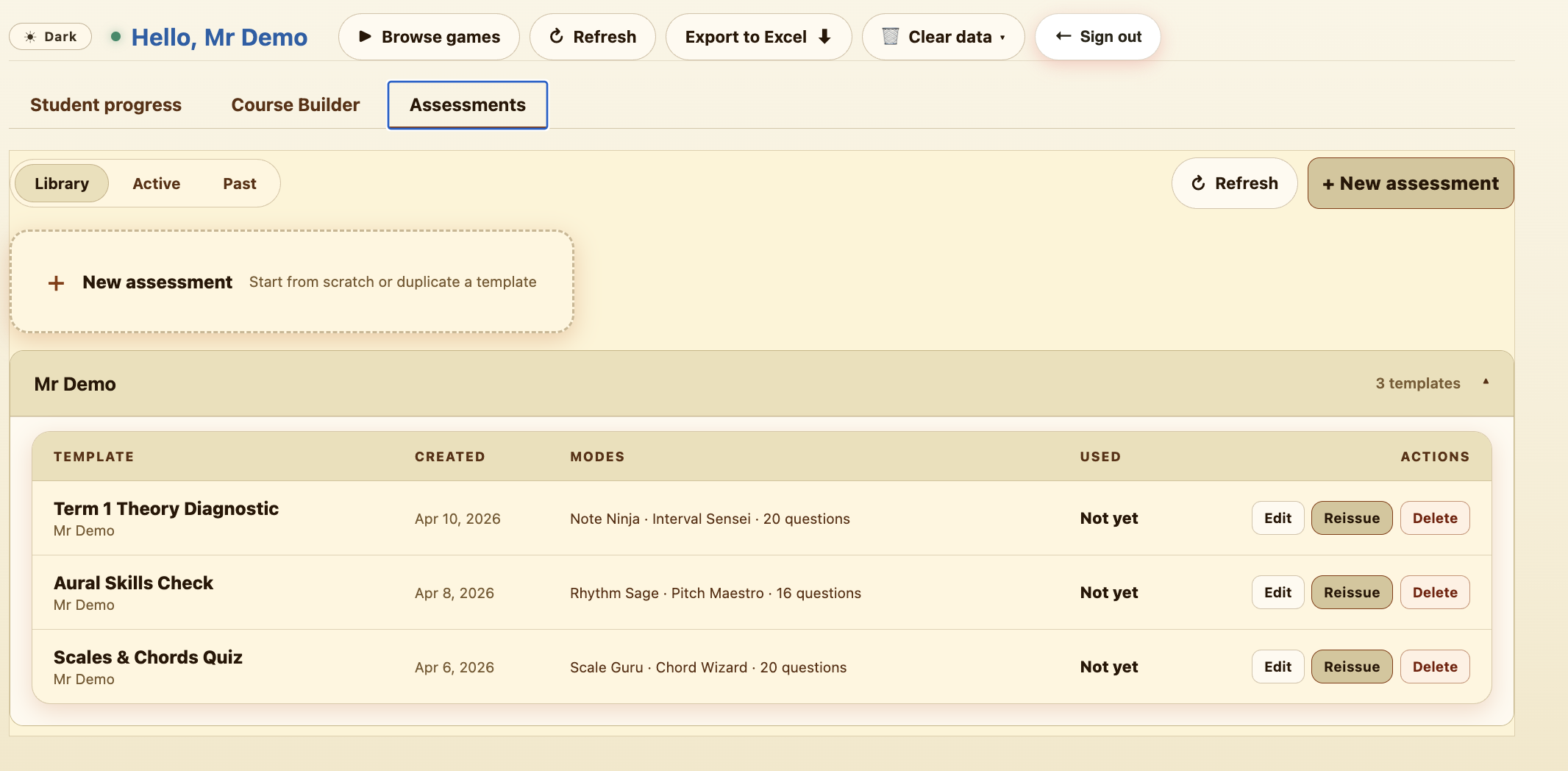
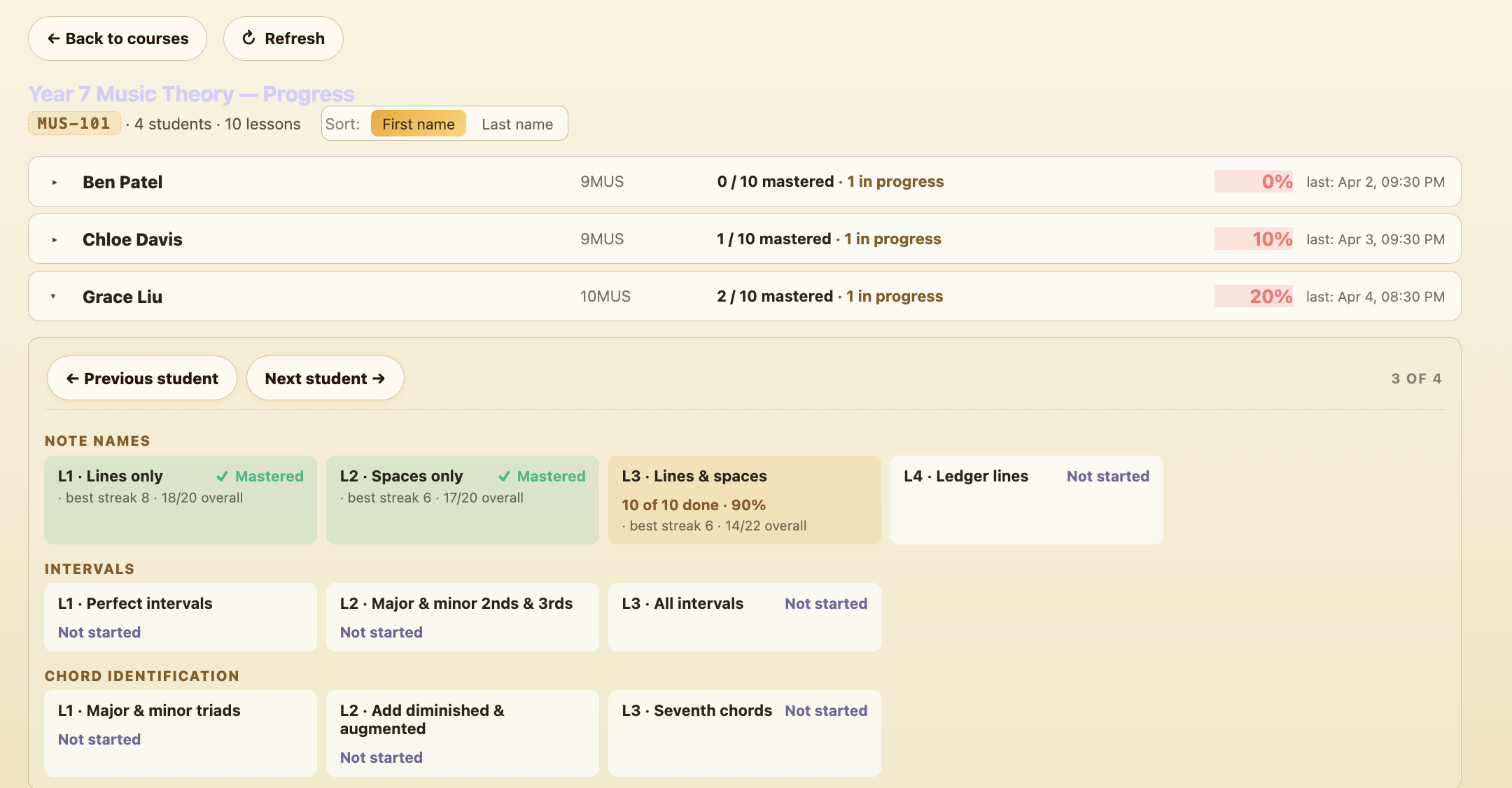
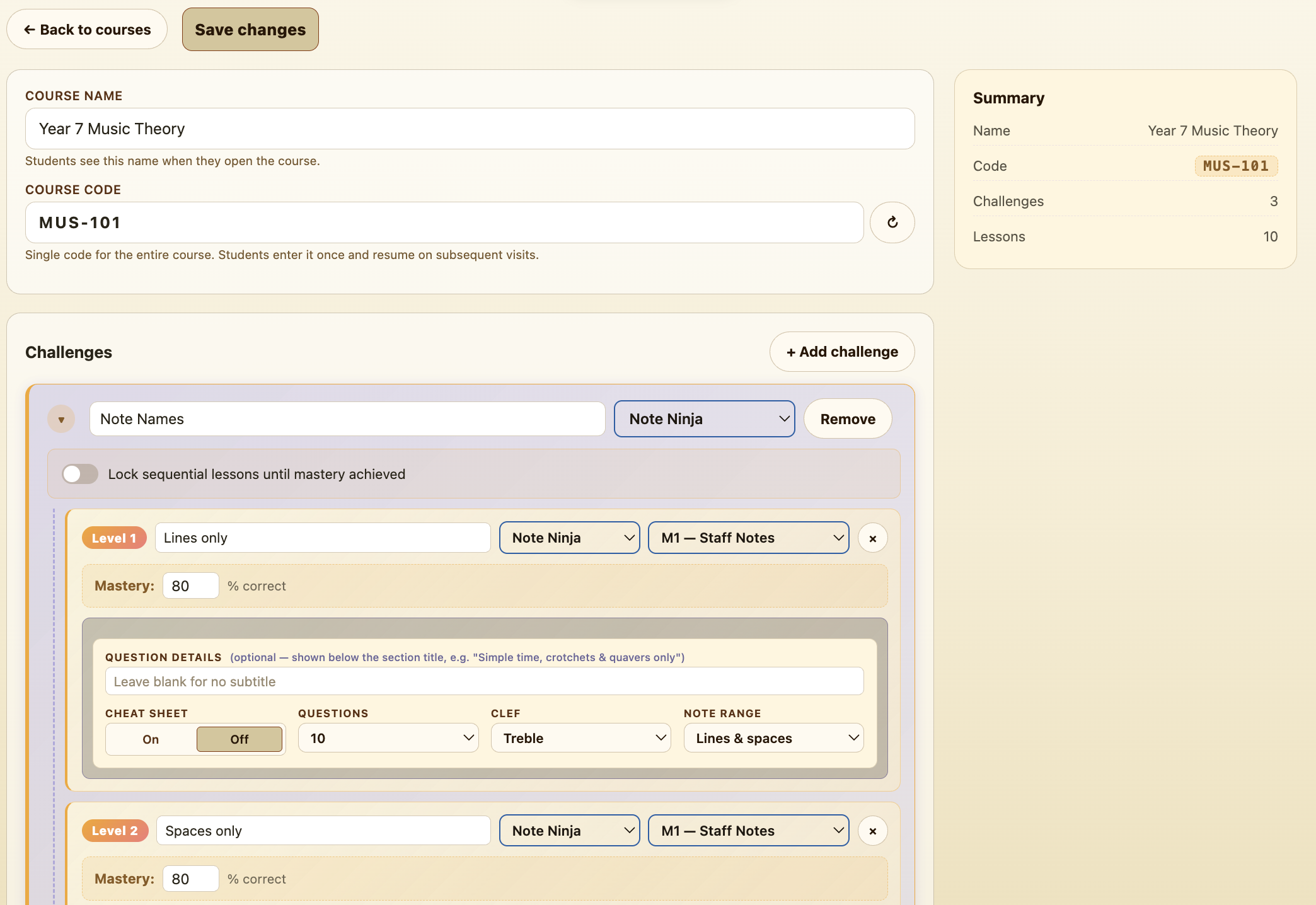
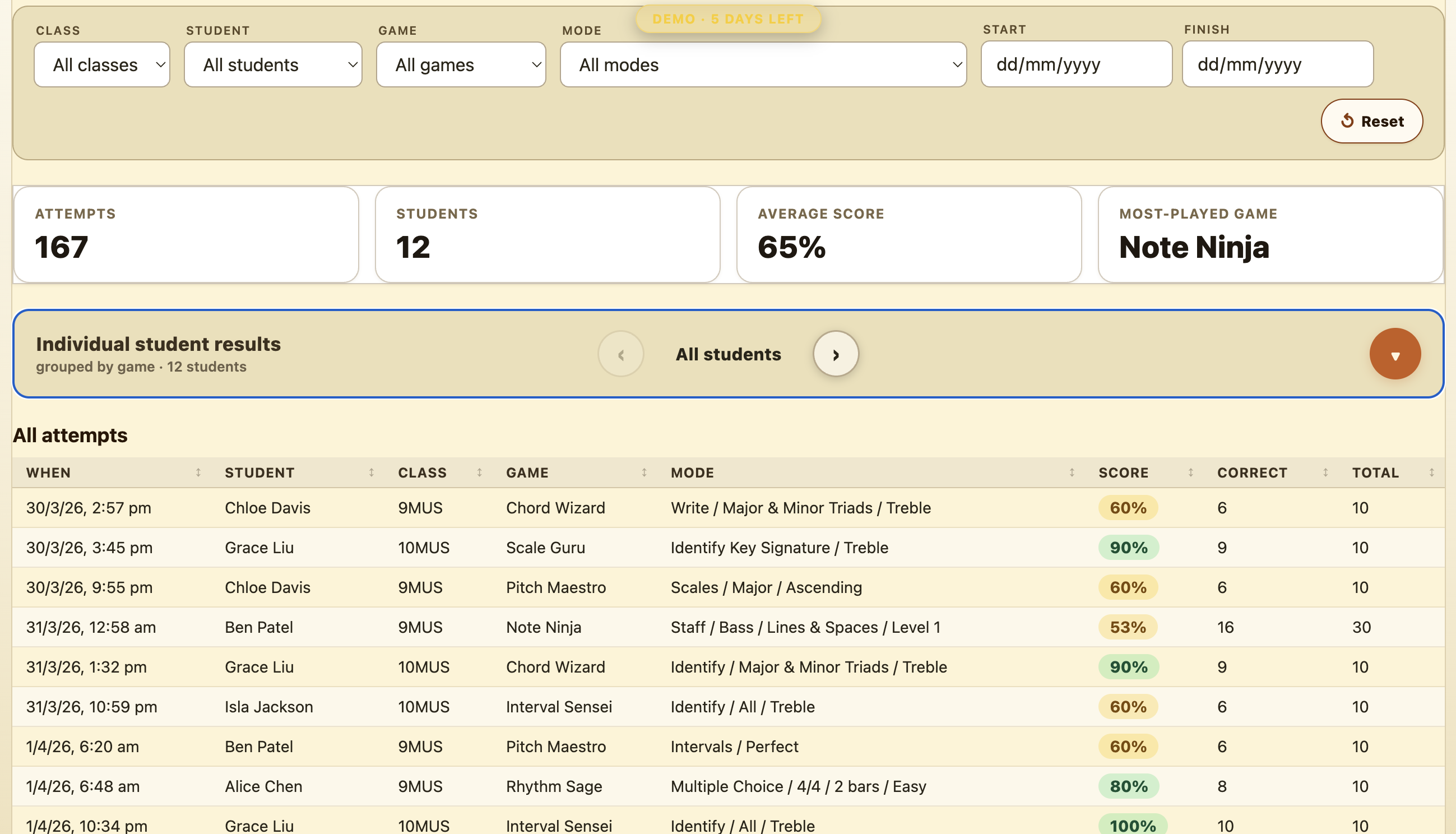
Live dashboard, Course Builder and Assessment Builder — all pre-loaded with sample data.
Four powerful tools built into every school licence.
See every student's activity at a glance. Filter by class, module, mode or date range, and switch between course work and free play. Colour-coded results make it easy to spot who's thriving and who needs support — then drill down into individual sessions and see exactly what each student answered, question by question.
Design multi-lesson courses with mastery thresholds that unlock the next step. Set percentage targets per lesson, choose which modules and modes to include, and watch students progress through the sequence at their own pace — with the time each student has spent shown alongside. Group courses into shared folders so the whole department can find them.
Create timed assessments with specific module, mode and difficulty settings. Preview the test as a student before you publish it, share a code with the class, review submissions as they come in, and allow retakes when students are ready for another shot.
Write your own rhythms and melodies in a proper notation editor and save them to a Library shared across your department. Drop them into a course and students transcribe your material in Rhythm Sage and Pitch Maestro instead of generated exercises.
Music Master is built by a working teacher, and it moves at the pace of a school term. Here is what landed recently.
Write your own rhythms and melodies and use them in courses. Shared across the department.
Group courses into folders, search and sort them. Every teacher at the school sees the same set.
Course results now show each wrong answer a student gave, not just the score.
Results are labelled with the course and lesson, and you can filter to one course or to free play.
Course progress shows how long each student has spent, next to how far they have got.
Every school gets a built-in student you can play as from the dashboard to see exactly what your class will see.
Step through an assessment module by module before you publish it.
Results retry on patchy school wifi, with a Resend button if a round still doesn't get through. Nothing is double-counted.
Drop us a line through the contact form — we read every message.